Workwear & team identity
Bring your logo, team name or campaign graphics to the clothing you use to represent your business.
Your designs, arranged your way. Build a gang sheet online, choose your size and let us take care of the printing.
Choose the method that suits your artwork. Switching pages starts a different ordering method, so keep a copy of your file before you switch.
Make it yours
From a business logo to an original illustration, start with your finished design and choose the sheet that fits your project.
Bring your logo, team name or campaign graphics to the clothing you use to represent your business.
Create designs for club meet-ups, celebrations and event merchandise, with a look that brings the group together.
Turn illustrations, slogans and personal artwork into pieces you can wear, give or add to your collection.
Choose items that can tolerate the recommended pressing conditions, and test suitability before starting your run.
Before you build
Have your artwork ready, then check the size and layout of each design before ordering.
From designs to a finished sheet
Use Auto Build to help arrange your artwork, or start a new gang sheet and position it yourself.
Select your sheet size in the order form, then choose Build a Gang Sheet. Start a new sheet or select Auto Build.
Upload your designs. Check their size, quantity and spacing. Use Auto Build or arrange them manually within the sheet.
Inspect the final layout, resolution and any overlaps. Check the sheet quantity, then use Save & Add to Cart when you’re ready.
Auto Build helps you arrange the artwork you provide. Manual layout gives you control over the position of each design. Whichever method you choose, review the finished sheet before adding it to your basket.
Keep every design inside the sheet, leave the spacing you need, and check small text. Resolution warnings are a useful guide; enlarging a low-resolution file does not add missing detail.
At the heat press
Check the garment’s heat tolerance and test the transfer on a sample before production. Use these application settings only where the garment is suitable.
Useful answers
A few practical details to help you choose the right ordering method and prepare your file.
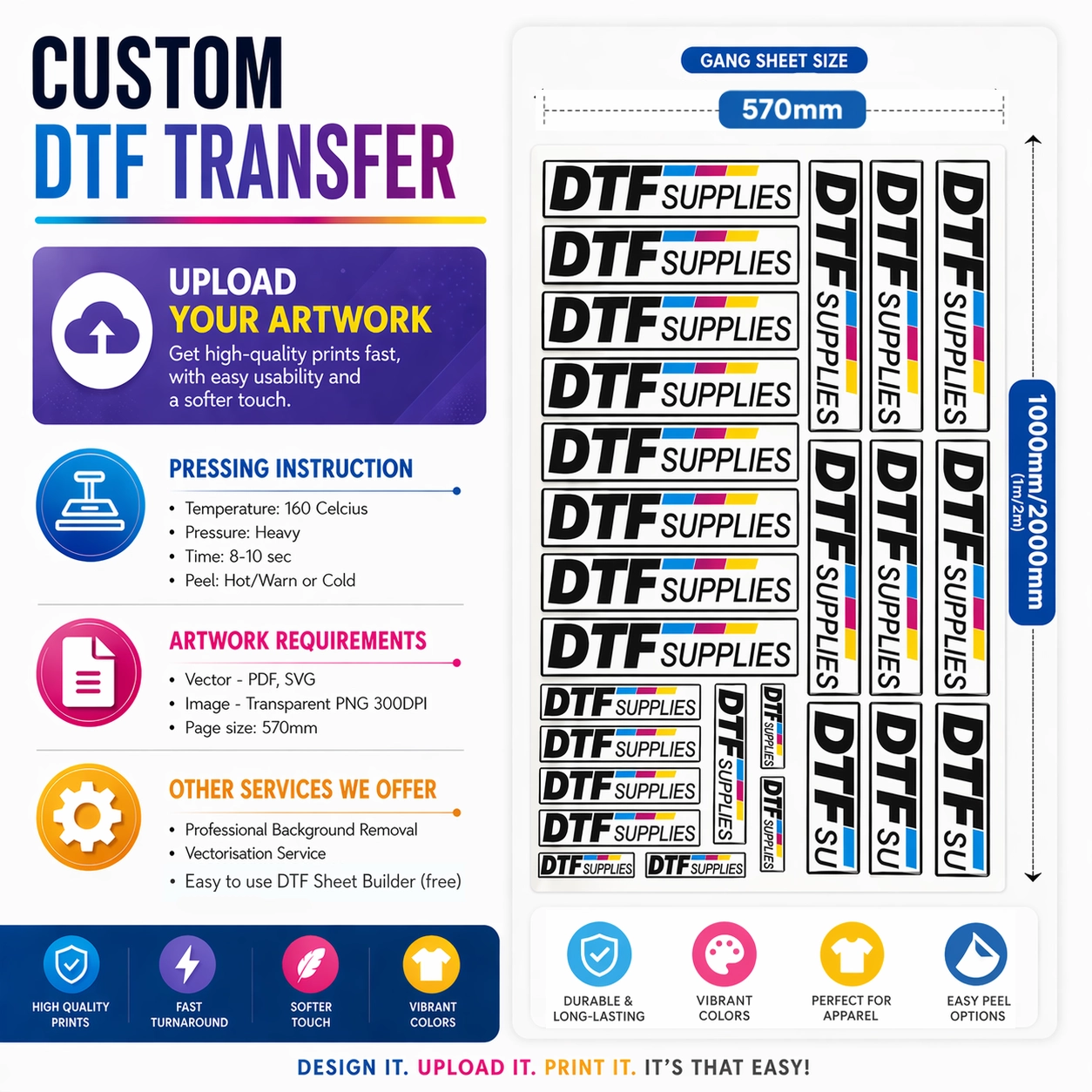
Choose a 570 × 1000 mm or 570 × 2000 mm sheet in the order form. Prepare your artwork to fit the size you select.
Use this page to arrange individual designs on a gang sheet. If your sheet is already laid out and print-ready, use the ready-made sheet upload.
Switching pages starts a different ordering method. Keep a copy of any artwork before you switch.
The builder currently lists PNG, JPG, JPEG, SVG, PSD, AI, EPS and PDF. Check the artwork after import, particularly its size, background and fine detail.
The upload page and builder are separate ordering methods. Keep your original files and use the builder’s Save control if needed before leaving. Do not assume an unfinished layout will transfer between the two pages.
See the existing 1mfree offer in the product information below, and review its conditions before ordering.
For a time-sensitive order, call the shop before ordering: 01324 610156.
Peel after just 2 seconds. You can also peel once the transfer has cooled. Follow the application guidance above and test suitability for your garment and press setup.
Wash inside out at up to 60°C if the garment label allows it. Follow the garment’s care label, and bear in mind that tumble drying may reduce transfer longevity.
For video demonstration click here
It is very easy to build gangsheet with our builder. There are two methods to build gangsheet.
Auto Build
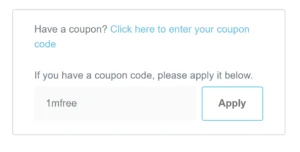
Use 1mfree as a coupon code in checkout page to get 1meter for free. This offer is valid once only.
How to get offer:
Temperature: 160 Celsius
Pressure: Heavy
Time: 8-10 sec
Peel: Hot/Warn or Cold
| Weight | N/A |
|---|---|
| Size | 570 mm x 1000 mm, 570 mm x 2000 mm |
Choose DTF Supplies for exceptional print accuracy, fast turnaround, and competitive pricing. We deliver:
Our skilled team handles every file with precision from upload to shipment. Whether you’re printing logos, promotional designs, or custom apparel, DTF Supplies provides consistent quality and dependable service.
Order today and experience professional DTF printing done right.
Related services

Same DTF transfers, a different ordering method. Upload your finished, print-ready sheet directly.
Explore print-ready upload
Need a logo or design converted into scalable vector artwork? Review the service and send the clearest version of your design.
View vectorisation service
Upload your ready-made gang sheet in your preferred format, or create one online using our free Gang Sheet Builder.
From consumables and printers to expert support and digitalisation, we’ve got everything you need in one place.
Transform your digital designs into embroidered works of art. We ensures precise, machine-ready files, making your custom apparel truly shine.
We’ll be closed on 24, 25, 26, 31 December and 1–2 January.
22 December is the final cutoff for delivery before Christmas.
Orders placed after this date will be processed when we reopen.
Thank you for your understanding and happy holidays!
Mark Higgins –
Good fast efficient service for dtf printing, gang sheet works well.
Dunkyraw (verified owner) –
Really impressed by the very easy to use gang sheet builder. The quality of the DTF is fantastic and the speed of placing an order to getting them delivered is super fast. 5 stars when it should be 10/10